RU
RU
 UZ
UZ
 KZ
KZ
 EN
EN
Nobody checks Page messages
A couple of people have access to the Page, and incoming Messenger chats are read once a day at best.
 Integrations · Facebook
Messages from the company Page in Messenger arrive in the CRM as leads — with a source and a conversation history.
This is what the channel looks like while it lives outside your sales system.
A couple of people have access to the Page, and incoming Messenger chats are read once a day at best.
Lead forms collect contacts, but by the time they are exported to a spreadsheet and called, the customer’s interest has gone cold.
Leads come in, sales happen, but you cannot tie one to the other and measure what the channel returns.
Someone wrote six months ago, but there is no history — you have to find everything out again.
The brand, a branch, and a second line each have their own Page. Switching between them eats the manager’s time.
Messenger does not remind you about unanswered messages, so some chats simply stay without a reply.
Once connected, Facebook stops being a separate app and works as part of the sales team.
Messages from the Page arrive in the same place as Instagram, WhatsApp, and Telegram. You can reply from a computer without opening Facebook.
A lead from a Meta ad creates a customer card with contacts and a source — no spreadsheet exports.
The agent answers typical questions around the clock and hands the chat to a manager when the customer is ready to buy.
Connect each Page separately and send its inquiries to their own funnel and their own managers.
A brand, a branch, a second line: each Page sends inquiries into its own funnel and to its own owners.
Leads from Meta lead forms create a customer card with contacts and a source automatically.
Connection is a Facebook login and Page admin rights: employee passwords are not stored in the CRM.
Documents and media go to the customer straight from the chat in the system.
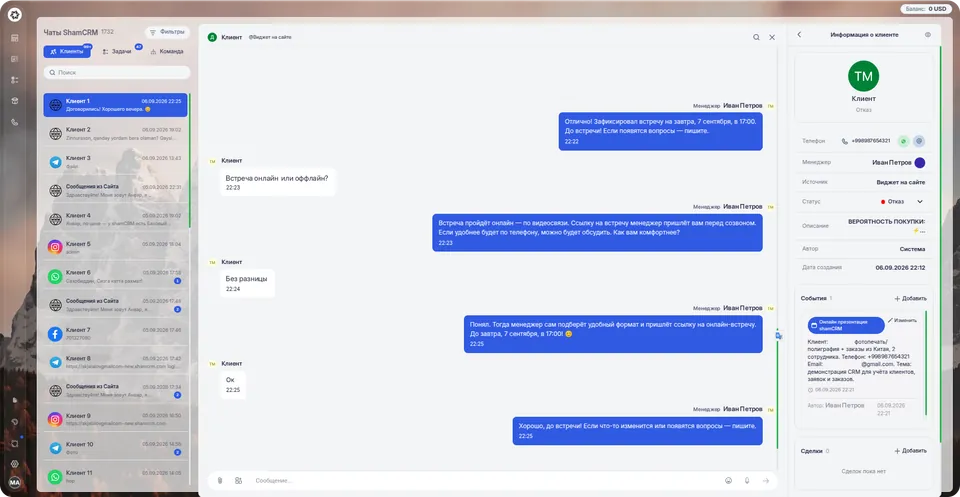
You can see how many inquiries and sales Facebook brought compared with Instagram, WhatsApp, and Telegram.
An “unanswered” filter and an unread counter show chats nobody has reached.
The conversation is tied to the customer card and the organization, not to an employee’s personal profile.
Inquiries get an owner automatically — by Page, source, or day of the week.
Open Integrations and choose Facebook.
Sign in to an account with Page admin rights.
Choose the Pages whose inquiries you want in the CRM.
Set the funnel and the people responsible for new leads.
If something does not work — we will connect it for you during the free trial.
Facebook is used less than Instagram in the region, but that is often where ads with lead forms run, and where Pages with history, reviews, and old customers remain. Messenger inquiries are handled last — simply because nobody keeps the tab open.
The shamCRM integration removes that human factor: messages and leads from the Page become work for the sales team, land in the shared inbox, go to assigned managers, and show up in channel reports.
We will open full access, help set up the integration, and show the system on your processes.
Workspace opens immediately · 14 days free · no card
We use cookies to give you a better experience on this site. By continuing to use the site, you agree to our use of these files. Privacy policy